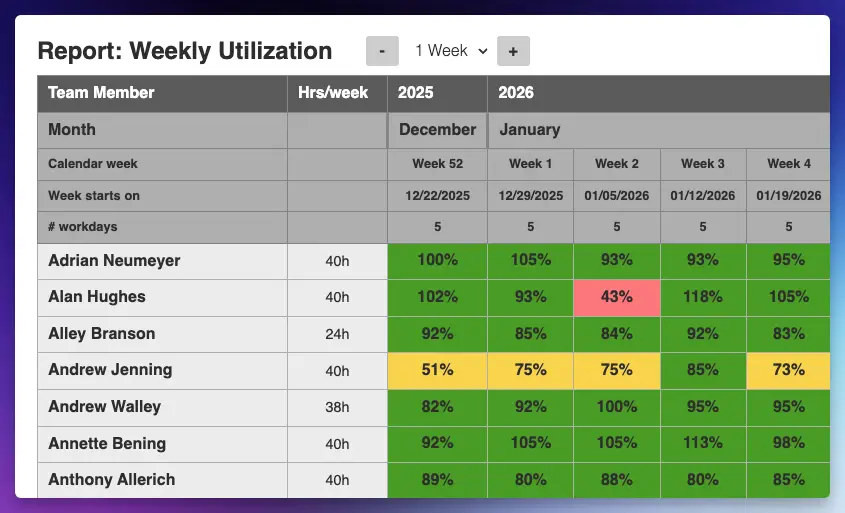
Plan work, track allocations and spot overload — all in a clear Excel sheet.
Plan your team’s time and see overload before it happens — all in one Excel sheet.
- See workload per person across all projects
- Spot overload and free capacity at one glance
- No setup, no tool — just Excel
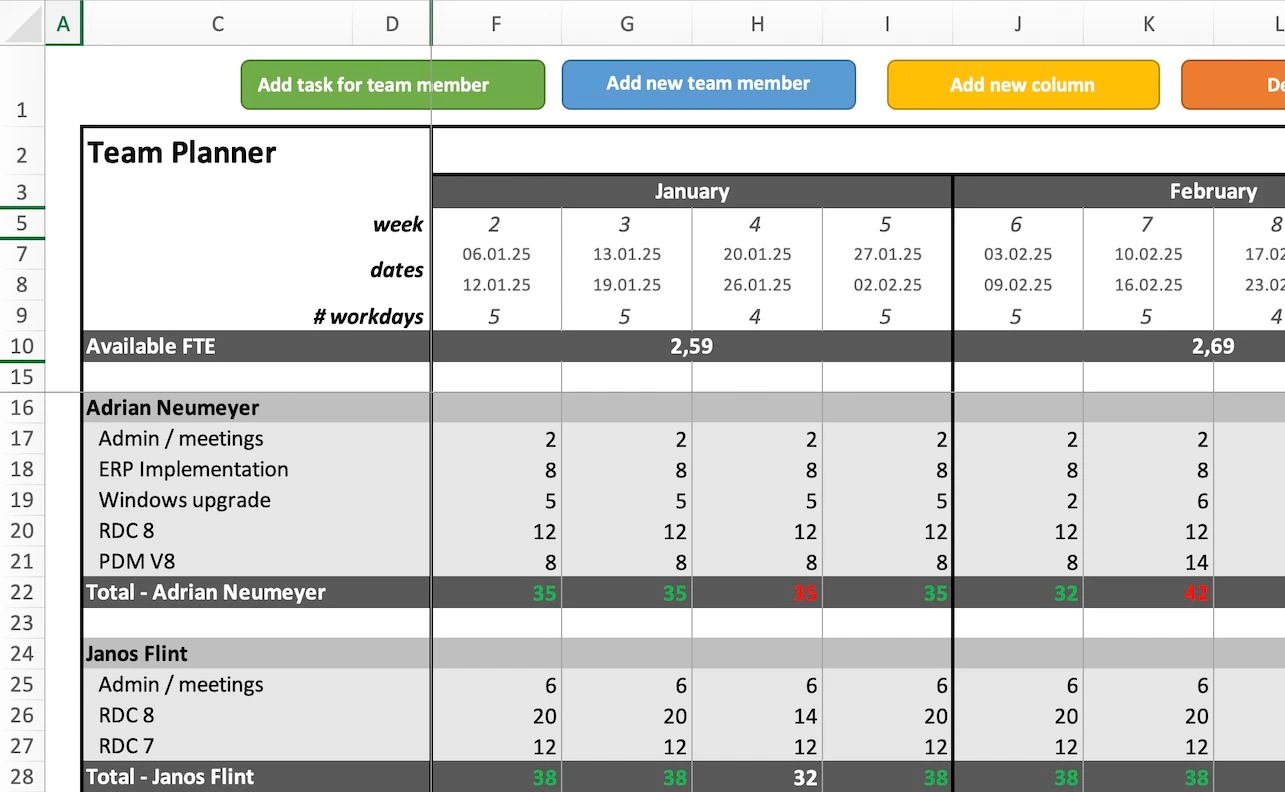
Stop guessing. See your team’s real capacity.
Most teams don’t have a capacity problem. They have a visibility problem.
Without the template
- You don’t see total workload across projects
- People say “I’m busy” — but you can’t verify
- New work gets accepted blindly
With the template
- You enter hours.
- You see total workload.
- You make decisions based on reality.
The template is there to give you the visibility you need.
Everything in one place: projects, people, workload
One view gives you the full picture:
- All projects
- All team members
- Weekly planned hours
- Total workload per person
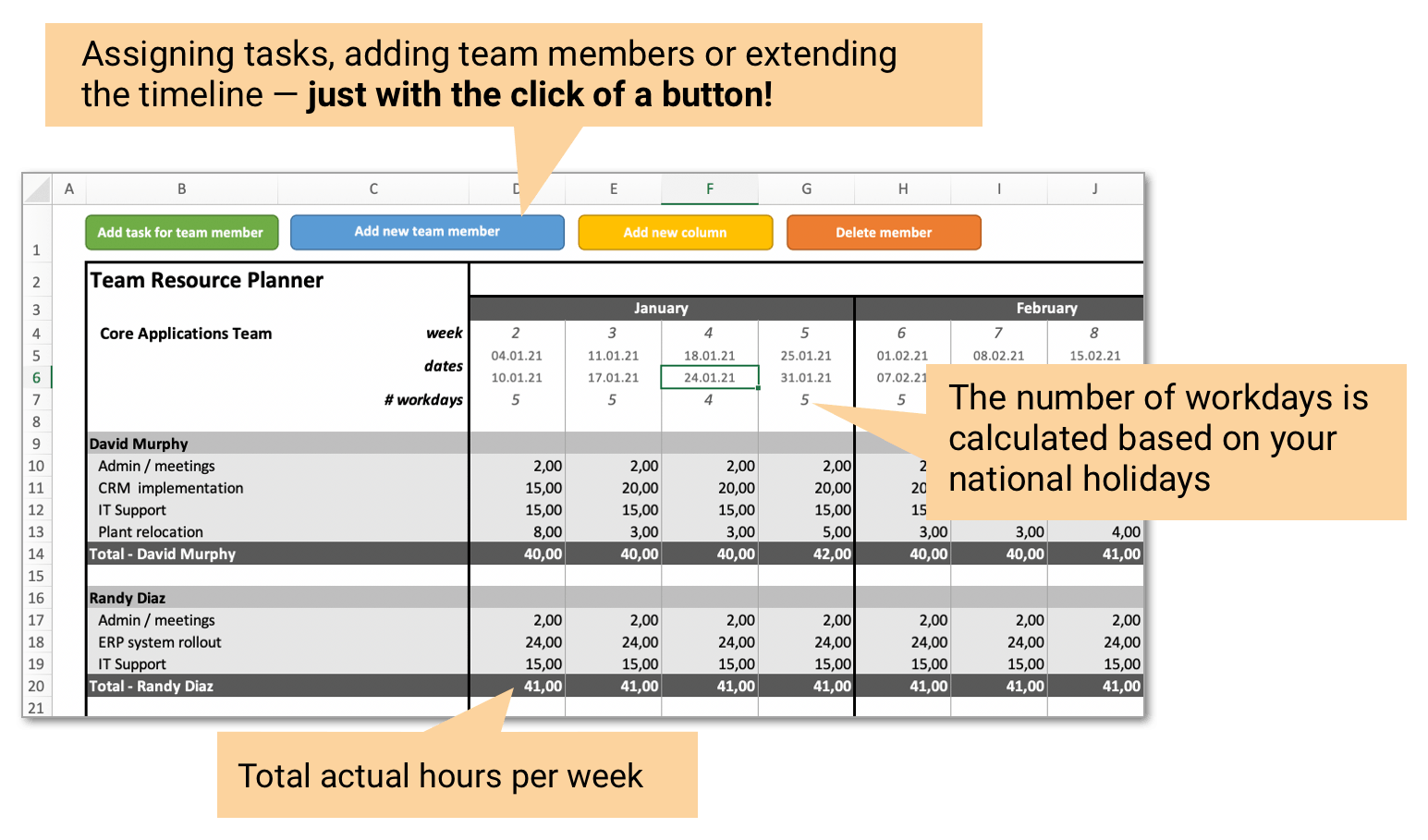
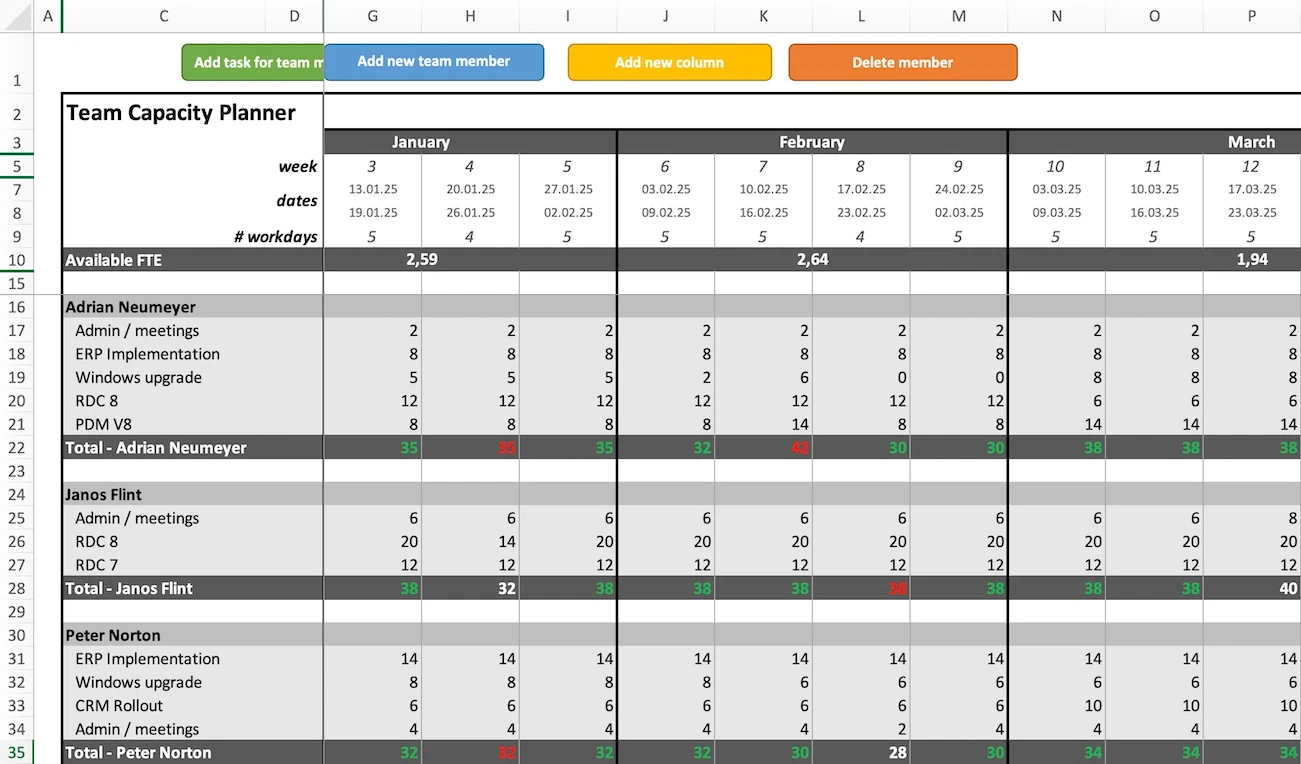
And most importantly:
👉 You instantly see overload and underutilization.
What the Excel capacity planning template does
- Plan capacity across multiple projects: Assign people to several projects at once
- See workload per person: Total hours calculated automatically
- Color-coded overload detection: → Red: overloaded → Green: free capacity
- Fully automated Excel sheet: No formula adjustments needed
- Add people and projects with one click: No restructuring required
- Factor in holidays: Realistic capacity, not theoretical
- Track billable hours: Useful for agencies and client work
How to use the Excel capacity planning sheet
Step 1: Add your team and projects
Define people, working hours, and projects.
Step 2: Generate your planning sheet
The template builds everything automatically.
Step 3: Enter weekly hours
Add planned effort per project.
Step 4: See workload instantly
Total hours per person update automatically.
👉 That’s it. No formulas. No setup.
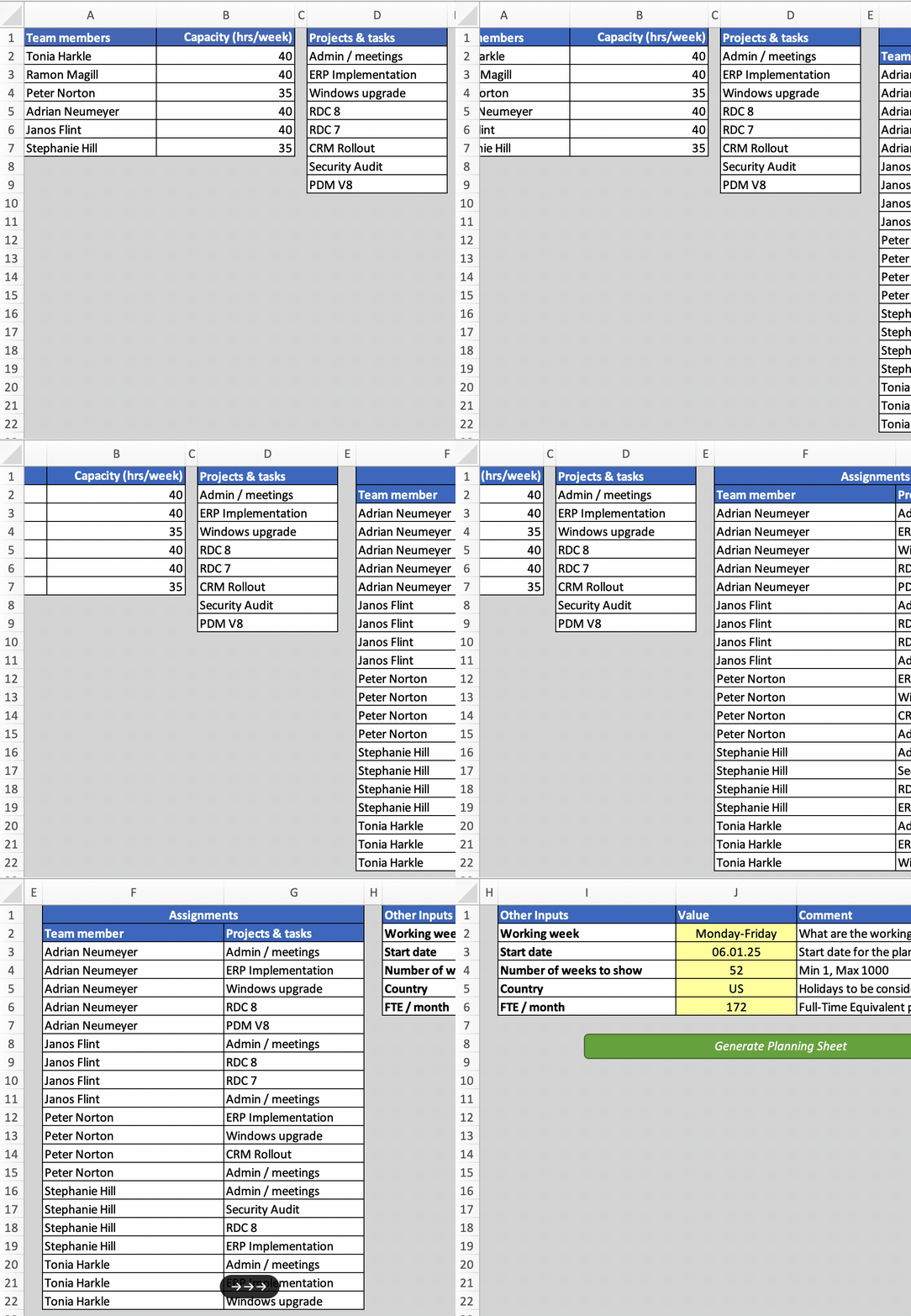
See the capacity template in action
Built for teams that need clarity fast
This template is a good fit if you:
- Manage multiple projects in parallel
- Lead a team of up to ~10 people
- Plan work weekly (not daily micromanagement)
- Need a quick, reliable overview
Typical users:
- Team leads
- Project managers
- Operations managers
- IT delivery leads
- Agencies
What users of the template are saying


Frequently Asked Questions
Can’t find the answer to your question? Contact us.
Do I really only need Excel to use this template?
Yes. The template works with all current versions of Excel, both for Windows and Mac. However, you need a desktop installation of Excel — the template does not work with web-based version of Excel.
Can I use the template in Google Sheets?
No, the template uses macros which only work in Excel.
Does the template have any limitations?
The capacity template is built to handle up to 10 team members and 20 projects. For larger teams, check out Caperity, our user-friendly cloud-based team capacity planner.
Can I track time off in the template?
No. The template only covers public holidays. Take a look at Caperity, our cloud-based capacity planning software which includes leave tracking.
What if I'm not happy with the template?
If you discover the template does not work for you, send me a note via the contact form and I’ll issue you a refund (within 30 days after your purchase).
I have a question about the template. How can I reach you?
Send us a message via the contact form.
Get the Excel Capacity Planning Template
- Plan work and track allocations
- See workload per person
- Spot overload immediately
- Up to 10 team members (need more? Try Caperity)
- Microsoft Excel file (requires macros enabled)
- 30-day money-back guarantee if you are not satisfied
- You’ll get an email with the template
- Secure payment via FastSpring, a US payment provider
- Contact form for support or questions
Ask your question here!